Techdata: ASUS RT-AC5300
Devices with Broadcom WiFi chipsets have limited OpenWrt supportability (due to limited FLOSS driver availability for Broadcom chips). Consider this when choosing a device to buy, or when deciding to flash OpenWrt on your device because it is listed as supported. See Broadcom WiFi for details.
Usage
- IMPORTANT : Edit this page only via the LEFT edit button below the dataentry box
- After editing, please enter a short summary of your edit:
- Which field has been changed? (e.g. Ethernet 100M ports)
- What have you done? (e.g. added / updated / deleted / ...)
- Why has it been changed? / What is your datasource? (acc. devicepage / wikidevi / forum ...)
- Example summary: Ethernet 100M ports updated according wikidevi
- For adding new dropdown values, Contact an OpenWrt wiki admin (tmomas)
- For conventions / allowed values, see below
- For general usage help, see Dataentry template background
- Searching for pure technical facts? See table below.
- Searching for installation instructions, bootlogs, other info? See link to Device Page below.
Dataentry
- Device Type:
- WiFi Router
- Brand:
- ASUS
- Model:
- RT-AC5300
- Version:
- v1
- FCCID:
- https://fccid.io/MSQ-RTGZ00
- Availability:
- Available 2024
- Where available:
- www.adorama.com, amazon.com
- Possible Since Commit:
- https://lists.openwrt.org/pipermail/openwrt-devel/2024-April/042734.html
- Unsupported Functions:
- White WAN LED
- Target:
- bcm53xx
- Subtarget:
- generic
- Package architecture:
- arm_cortex-a9
- Bootloader:
- CFE
- CPU:
- Broadcom BCM4709C0
- CPU Cores:
- 2
- CPU MHz:
- 1400
- Flash MB:
- 128NAND
- RAM MB:
- 512
- Ethernet 100M ports:
- -
- Ethernet 1Gbit ports:
- 5
- Ethernet 2.5Gbit ports:
- -
- Ethernet 5Gbit ports:
- -
- Ethernet 10Gbit ports:
- -
- SFP ports:
- -
- SFP+ ports:
- -
- Switch:
- Broadcom BCM53012
- VLAN:
- Yes
- Modem:
- -
- WLAN Hardware:
- Broadcom BCM4366
- WLAN 2.4GHz:
- b/g/n
- WLAN 5.0GHz:
- a/n/ac
- WLAN 6.0GHz:
- -
- WLAN 60.0GHz:
- -
- Detachable Antennas:
- 8
- Bluetooth:
- -
- miniPCI ports:
- -
- USB ports:
- 1x 2.0, 1x 3.0
- SATA ports:
- -
- Comments USB SATA ports:
- One USB 2.0 and one USB 3.0 port
- Video ports:
- -
- Audio ports:
- -
- Phone ports:
- -
- Serial:
- Yes
- Serial connection parameters:
- 115200 / 8N1
- Serial connection voltage:
- 3.3
- JTAG:
- Yes
- LED count:
- 6
- Button count:
- 3
- GPIOs:
- 18
- Power Supply:
- 19V, 2.37A via barrel jack
- Outdoor:
- No
- OpenVPN performance:
- 25
- Wireguard performance:
- 45
- Device Page:
- rt-ac5300
- OWrt Forum Topic URL:
- https://github.com/openwrt/openwrt/pull/20052
- Forum search:
- RT-AC5300
- Git search:
- RT-AC5300
- WikiDevi URL:
- https://techinfodepot.shoutwiki.com/wiki/ASUS_RT-AC5300
- WikiDevi ID:
- ASUS_RT-AC5300
- OEM Device Homepage URL:
- https://www.asus.com/us/networking-iot-servers/wifi-routers/asus-wifi-routers/rt-ac5300
- Firmware OEM Stock URL:
- https://www.asus.com/us/networking-iot-servers/wifi-routers/asus-wifi-routers/rt-ac5300/helpdesk_bios
- Installation method(s):
- Asus Firmware Restoration tool, CFE TFTP recovery, CFE web recovery, see devicepage
- Comment installation:
- Use MiniWeb recovery or TFTP with asus_rt-ac5300-squashfs.trx image; no renaming needed.
- Recovery method(s):
- Asus Firmware Restoration tool, CFE TFTP recovery, CFE web recovery, see devicepage
- Comment recovery:
- Hold RESET while powering on to enter MiniWeb recovery; upload asus_rt-ac5300-squashfs.trx image via browser
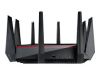
- Picture:
- Comments:
- For units with locked/old CFE: flash the oldest ASUS firmware available, run nvram set secret_code=12345678; nvram set first_boot=1; nvram commit, then flash OpenWrt via CFE recovery, or—if CFE rejects the image—rename it to firmware.trx, serve it via TFTP, and flash using http://192.168.1.1/do.htm?cmd=flash+-noheader+192.168.1.2:firmware.trx+flash0.trx.

Conventions for dataentry values
General nomenclature
¿         : unknown (ALT+168; used for filtering reasons. Please avoid '?' and use '¿' instead)
¿ xxx     : unknown, xxx is a qualified guess (only for non-dropdown fields)
-         : not applicable / hardware not present
8, 16, 32 : different configurations available (',' = OR; use space after ',' to allow linebreaking)
Conventions per characteristic
underlined characteristic = mandatory
| Characteristic | Description | Example | Datatype | Datatype alias | Convention / allowed values |
|---|---|---|---|---|---|
| General | |||||
| Device Type | Device Type | Wireless router | select (dropdown) | _devicetype | WiFi AP, WiFi Router, Router, Travel Router, Travel Router - Battery powered, Range Extender, Single Board Computer, Modem, NAS, unknown, other If 'other' → request new devicetype @wiki admin |
| Brand | Brand of the device | D-Link | select (dropdown) | _brand | Too many to show here. If 'other' → request new Brand @wiki admin |
| Model | Exact Model | DIR-509 | textbox | no restrictions, anything is possible | |
| Version | HW revision | v1 | textbox | empty (default) / v1 / v1, v2 / ... (no restrictions, anything is possible) Multiple entries (comma separated) allowed if same hardware specs. If hardware different (e.g. v1=32MB RAM; v2=64MB RAM) → add new dataentry-page. |
|
| FCCid | FCC id | https://fcc.io/KA2/IR505A1 | textbox | _urls | link-scheme: https://fcc.io/yourFCCid |
| Availability | Availability / Discontinuation of the device | Available 2020 | select (dropdown) | _availability | Can you buy it TODAY? → Available <year-of-today>; DO NOT enter a year in the past! Make sure to check multiple sites over the globe! unknown 2020, unknown 2019, unknown 2018, Available 2020, Available 2019, Available 2018, Available 2017, Discontinued 2020, Discontinued 2019, Discontinued 2018, Discontinued 2017, Discontinued 2016, Discontinued 2015, Discontinued 2014, Discontinued 2013, Discontinued 2012, Discontinued 2011, Discontinued 2010, Discontinued |
| Where available | Website where this device can be purchased | amazon.com | textbox | website without http... and no deep link, just the website, eg. amazon.com. List multiple values comma separated. | |
| OpenWrt Support | |||||
| Supported since commit | git commit, which provided first ever support for this device; “Birthpoint” of support | https://git.openwrt.org/?p=openwrt/openwrt.git;a=commit;h=42914b0b0e47237400a825a54189d707abd86693 | textbox | _git | empty (default) / Link scheme: https://git.openwrt.org/?p=openwrt/openwrt.git;a=commit;h=<commithash> Find commit via the search on https://git.openwrt.org/?p=openwrt/openwrt.git;a=summary |
| Supported since release | First official release (no snapshot) | 17.01 | select (dropdown) | _releasesince | ¿, 17.01, 17.07, 18.01 |
| Supported current release | Current official release | 17.01 | select (dropdown) | _releasecurrent | ¿, 17.01, snapshot “snapshot” for devices that don't have major release yet. If device is no longer supported, then “EOL” |
| Image too big | Release which is too big to save settings | 18.06.0 | select (dropdown) | _releasecurrents | CTRL+click for multiselect; Report devices which can't save settings due to too big image in the OpenWrt forum. Devices with non-empty datafield will be shown in Table of Hardware: Image too big to save overlay / save settings |
| Unsupported functions | Describe what is not supported | 5GHz wifi, ADSL, FXS | textbox | _unsupporteds | Values in this field link to pages explaining in detail what is unsupported and why, what the concequences are and what you can do about it. List multiple values comma separated. Keep the values as short as possible, don't write books in here! |
| Gluon support | Gluon support status | unknown | select (dropdown) | _gluonsupport | Yes, No, Broken, unknown |
| Hardware | |||||
| Target | Target | ar71xx | select (dropdown) | _target | Only existing targets allowed, i.e. only what can be found here: http://downloads.openwrt.org/snapshots/ or here targets (¿=unknown, -=architecture not supported) |
| Subtarget | Subtarget | generic | textbox | ||
| Package architecture | mips_24kc | select (dropdown) | _pkg-arch | See instructionset | |
| Bootloader | Bootloader | U-Boot 1.1.4 | select (dropdown) | _bootloader | If 'other' → request new bootloader @wiki admin |
| CPU | Platform / SoC | Atheros AR9331 | textbox | see soc | |
| CPU cores | Number of CPU cores | 2 | _numcores_ | ¿, 1, 2, 4, 6, 8, 10, 12, 14, 16, more than 16 | |
| CPU MHz | the obvious | 400 | textbox | numerical values w/o MHz or GHz | |
| Flash MB | the obvious | 8 | select (dropdown) | _mbflashs | Multiple values allowed; CTRL-click for multiselect; ¿, 1, 2, 4, 8, 16, 32, 64, 128, 256, 512, 1024, 2048, 4096, 8192, 64NAND, 128NAND, 256NAND, 512NAND, 1024NAND, 2048NAND, 4096NAND, 8192NAND, more than 8GB, more than 8GB NAND, SD, microSD, microSDHC, CF, mSATA |
| RAM MB | the obvious | 64 | select (dropdown) | _mbram | ¿, 1, 2, 4, 8, 16, 32, 64, 128, 256, 512, 1024, 2048, 4096, more than 4GB |
| Network | |||||
| Ethernet 100M ports | Number of 100Mbit ethernet ports | - | select (dropdown) | _numethport | ¿, -, 1, 2, 3, 4, 5, 6, 7, 8, 9, 10, 11, 12, 13, 14, 15, 16, 17, 18, 19, 20, more than 20 |
| Ethernet 1GBit ports | Number of 1Gbit ethernet ports | 5 | select (dropdown) | _numethport | ¿, -, 1, 2, 3, 4, 5, 6, 7, 8, 9, 10, 11, 12, 13, 14, 15, 16, 17, 18, 19, 20, more than 20 |
| Ethernet 2.5GBit ports | Number of 2.5Gbit ethernet ports | - | select (dropdown) | _numethport | ¿, -, 1, 2, 3, 4, 5, 6, 7, 8, 9, 10, 11, 12, 13, 14, 15, 16, 17, 18, 19, 20, more than 20 |
| Ethernet 5GBit ports | Number of 5Gbit ethernet ports | - | select (dropdown) | _numethport | ¿, -, 1, 2, 3, 4, 5, 6, 7, 8, 9, 10, 11, 12, 13, 14, 15, 16, 17, 18, 19, 20, more than 20 |
| Ethernet 10GBit ports | Number of 10Gbit ethernet ports | - | select (dropdown) | _numethport | ¿, -, 1, 2, 3, 4, 5, 6, 7, 8, 9, 10, 11, 12, 13, 14, 15, 16, 17, 18, 19, 20, more than 20 |
| SFP ports | Number of SFP ports | - | textbox | _port-sfp | |
| SFP+ ports | Number of SFP+ ports | - | textbox | _port-sfp | |
| Switch | Switch hardware | Atheros AR9331 | textbox | ||
| VLAN | VLAN capability | Yes | select (dropdown) | _yesno | ¿, Yes, No |
| Modem | Type of integrated modem | xDSL | select (dropdown) | _modem | ¿, Yes, No, ADSL, ADSL2+, ADSL2+ Annex A, ADSL2+ Annex B, xDSL, DOCSIS, Powerline, Mobile Wireless/Cellular network http://wiki.openwrt.org/meta/template_device#info |
| Comments network ports | Comments on Ethernet, Fibre and Modem | textbox | If PoE supported, enter below under “Power Supply” | ||
| Wireless | |||||
| WLAN Hardware | Broadcom BCM43225 | textbox | “Manufacturer Model# [(onboard/integrated/(mini-)PCI(e))]” / “#x (mini-)PCI(e)” | ||
| WLAN 2.4GHz | Wireless standard(s) the device is capable of | b/g/n | select (dropdown) | _wlan24 | ¿, -, b, b/g, b/g/n, b/g/n/ax |
| WLAN 5.0GHz | Wireless standard(s) the device is capable of | a/n/ac | select (dropdown) | _wlan50 | ¿, -, a, a/n, a/n/ac, a/n/ac/ax |
| WLAN 6.0GHz | Wireless standard(s) the device is capable of | - | select (dropdown) | _wlan60 | ¿, -, ax |
| WLAN 60GHz | Wireless standard(s) the device is capable of | - | textbox | _wlan60g | |
| WLAN Comments | MIMO and other WIFI information | 2×2 MIMO | textbox | ||
| WLAN drivers | WLAN driver | b43 | select (dropdown) | _wlan_drivers | , -, ath5k, ath9k, ath10k, b43, b43 legacy, brcmfmac, brcmsmac, mt76, mwlwifi, rt2500pci, rt2800pci, rt2800usb, rtl819x, unknown, other See WLAN drivers |
| Detachable Antennas | # of detacheable antennas | 3 | select (dropdown) | _numdetachantenna | ¿, -, Yes, No, 0, 1, 2, 3, 4, 5, 6, 7, 8, 9, 10, more than 10 |
| Bluetooth | Bluetooth version | 4.2 | select (dropdown) | _bluetooth | ¿, -, 4.0, 4.1, 4.2, 5.0, BLE, other |
| Other interfaces | |||||
| miniPCI Ports | # of mini-PCI ports | 3x miniPCIe | textbox | _port-minipci | Enter number of miniPCI(e) ports and type, i.e. mini-PCI, mini-PCIe, M.2 Key 'X' |
| USB ports | # of USB 2.0 + USB 3.0 ports | 1x 2.0, 2x 3.0 | multiselect | _usbmultiselect | ¿, -, Yes, 1x 1.1, 1x 1.1 Device, 1x 2.0, 1x 2.0 Device, 2x 2.0, 3x 2.0, 4x 2.0, 5x 2.0, 6x 2.0, more than 6x 2.0, 1x 3.0, 2x 3.0, 3x 3.0, 4x 3.0, 5x 3.0, 6x 3.0, more than 6x 3.0, Mod, 1x Device, 1x Header, 1x OTG, 1x µUSB (charging), 1x Power only Notes: - Device = Slave = Client (= everything that's not a host); Device preferred over the others. - use “Host” only when needed - if “mod” → provide URL to Howto/Forum |
| SATA ports | # of SATA or eSATA ports | 2 | select (dropdown) | _numsataport | ¿, -, 1, 2, 3, 4, 5, 6, more than 6 |
| Comments USB SATA ports | the obvious | ? | textbox | ||
| Video ports | Kind of video port | HDMI | select (dropdown) | _port-videos | Multiple possible; CTRL-click for multiselect; ¿, -, Composite, DP, mDP, HDMI, LVDS, VGA, other |
| Audio ports | Kind of audio port | Line out | select (dropdown) | _port-audios | Multiple possible; CTRL-click for multiselect; ¿, -, Line, Headphone jack, HDMI, S/PDIF, other |
| Phone ports | 2 | select (dropdown) | _port-phones | Multiple possible; CTRL-click for multiselect; ¿, -, 1, 2, 3, 4, 5, 6, more than 6, POTS, DECT | |
| Comments AV ports | Comments on Audio, Video, Phone ports | Requires a special cable in order to use composite video | textbox | ||
| Serial | Availability of serial access | Yes | select (dropdown) | _yesno | ¿, Yes, No |
| Serial connection parameters | the obvious | 115200 / 8N1 | select (dropdown) | _serialparam | ¿, 19200 / 8N1, 38400 / 8N1, 57600 / 8N1, 115200 / 8N1 |
| Serial voltage level | the obvious | 3.3 | select (dropdown) | _serialvoltage | ¿, 5, 3.3, 2.5, 1.8, 15 |
| JTAG | Availability of JTAG access | Yes | select (dropdown) | _yesno | ¿, Yes, No |
| Other hardware | |||||
| LED Count | # of LEDs | 5 | select (dropdown) | _numled | ¿, -, 1, 2, 3, 4, 5, 6, 7, 8, 9, 10, 11, 12, 13, 14, 15, 16, 17, 18, 19, 20, more than 20 → relevancy? see https://forum.openwrt.org/viewtopic.php?pid=275491#p275491 |
| Buttons | Button/switch types available | WPS | select (dropdown) | _numbutton | ¿, -, 1, 2, 3, 4, 5, 6, 7, 8, 9, 10, 11, 12, 13, 14, 15, 16, 17, 18, 19, 20, more than 20 → relevancy? see also https://forum.openwrt.org/viewtopic.php?pid=275491#p275491 |
| GPIOs | Number of readily accessible GPIOs (e.g. via pinheader) | 17 | select (dropdown) | _numgpio | ¿, -, 1, 2, 3, 4, 5, 6, 7, 8, 9, 10, 11, 12, 13, 14, 15, 16, 17, 18, 19, 20, more than 20 |
| Power supply | Specifications of Power Supply (Volt, Amp, PoE) or Battery (Volt, mAh) | 12 VDC, 2A via barrel, or PoE 802.3af | textbox | If PoE capable: PoE <PoE spec>, e.g. PoE 802.3af | |
| OpenVPN performance | max Mbit achievable with OpenVPN | 23 | textbox | max Mbit achievable with OpenVPN | |
| Wireguard performance | max Mbit achievable with Wireguard | 68 | textbox | max Mbit achievable with Wireguard | |
| Links | |||||
| Device Page | Link to Wiki-page | toh:d-link:dir-509 | textbox | toh:brand:model | |
| Device Techdata | How the link to the dataentry page will be named (not the link itself) | Techdata | _hidden / _pageid | Techdata (fixed setting for all devices, not to be edited) Mandatory usage of types: _hidden = in the dataentry → will not be shown _pageid = in datatables / datalists → shows up as link |
|
| OWrt Forum Topic URL | Link(s) to forum thread(s) | https://forum.openwrt.org/t/dir-505-successor/21420 | textbox | _urls | https://forum.openwrt.org/... |
| Forum search | query to search for latest forum postings related to this device | DIR-505 | textbox | _search-forums | |
| Git search | query to search for latest git commits related to this device; might need some tweaking to deliver useful results. | DIR-505 | textbox | _search-gits | |
| WikiDevi URL | Link to wikidevi | https://wikidevi.wi-cat.ru/wiki/D-Link_DIR-515 | textbox | _url | https://wikidevi.wi-cat.ru/wiki/... |
| WikiDevi ID | D-Link_DIR-515 | textbox | _hwinfo-id | Enter only <yourdevice> from https://wikidevi.wi-cat.ru/<yourdevice> | |
| OEM device homepage | Link to manufacturers device page | https://us.dlink.com/products/connect/shareport-mobile-companion/ | textbox | _url | https://... |
| Firmware OEM Stock | Link to original OEM firmware | http://support.dlink.com/ProductInfo.aspx?m=DIR-505L | textbox | _url | https://... Do not link directly to the file, but rather to the download or support page. This avoids the need for updating the link with each new firmware revision. |
| Firmware OpenWrt Install | Link to OpenWrt release factory image | http://downloads.openwrt.org/releases/17.01.4/targets/ar71xx/generic/lede-17.01.4-ar71xx-generic-dir-505-a1-squashfs-factory.bin | textbox | _urls | http://downloads.openwrt.org/releases/...factory.bin |
| Firmware OpenWrt Upgrade | Link to OpenWrt release sysupgrade image | http://downloads.openwrt.org/releases/17.01.4/targets/ar71xx/generic/lede-17.01.4-ar71xx-generic-dir-505-a1-squashfs-factory.bin | textbox | _urls | http://downloads.openwrt.org/releases/...sysupgrade.bin |
| Firmware OpenWrt snapshot Install | Link to OpenWrt snapshot factory image | http://downloads.openwrt.org/snapshots/targets/ar71xx/generic/lede-ar71xx-generic-dir-505-a1-squashfs-factory.bin | textbox | _urls | http://downloads.openwrt.org/snapshots/targets/...factory.bin |
| Firmware OpenWrt snapshot Upgrade | Link to OpenWrt snapshot sysupgrade image | http://downloads.openwrt.org/snapshots/targets/ar71xx/generic/lede-ar71xx-generic-dir-505-a1-squashfs-sysupgrade.bin | textbox | _urls | http://downloads.openwrt.org/snapshots/targets/...sysupgrade.bin |
| Installation methods | Installation methods available for this device | D-Link recovery GUI | select (dropdown) | _method-installations | CTRL+click for multiselect TFTP, GUI, CLI, D-Link recovery GUI, unknown, other |
| Comment installation | Rename image to 'firmware.bin' before flashing. | textbox | SHORT (!) comments like “rename image to 'firmware.bin' before flashing.” | ||
| Recovery methods | Installation methods available for this device | TFTP | select (dropdown) | _method-recovery | CTRL+click for multiselect TFTP, GUI, CLI, D-Link recovery GUI, unknown, other |
| Comment recovery | Rename image to 'firmware.bin' before flashing. | textbox | SHORT (!) comments like “rename image to 'firmware.bin' before flashing.” | ||
| Picture | Single general picture (outside/case) to identify the device; Put additional pictures (inside/PCB) on device page | :media:dlink:dir-509.jpg | _img100s | 1) Get picture from OEM website (min 640×480; max 1280×720, max 1MB) 2) Store it in the OpenWrt wiki via the media-manager: media:toh:brand:brand_model_general_view.jpg3) Get link to picture: Find picture in media manager, click on it, scroll down, copy the link 4) Add link to the dataentry. Do not link to OEM website, because that link may change. |
|
| Misc | |||||
| Comments | Anything that's worth mentioning | Small formfactor (wallwart-sized) | textbox | The only restriction: Keep it SHORT! Put any detailed content which needs more space on the devicepage. | |
This website uses cookies. By using the website, you agree with storing cookies on your computer. Also you acknowledge that you have read and understand our Privacy Policy. If you do not agree leave the website.More information about cookies